Locaweb
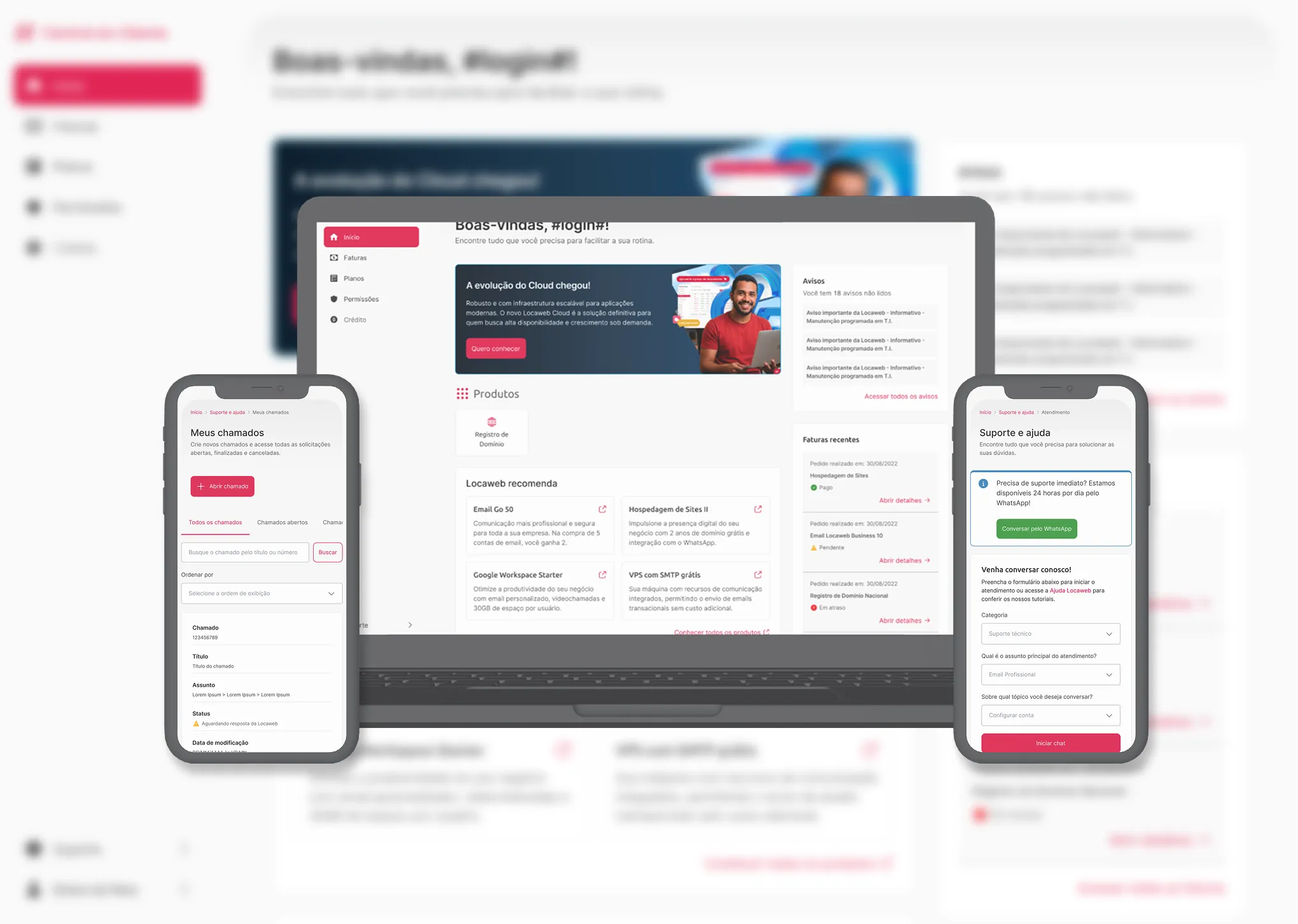
I redesigned the Customer Center, where Locaweb customers manage their services
Simple tasks, like paying an invoice, kept ending up with support because customers gave up halfway. I moved the Customer Center to Locaweb's new Design System without changing its features, and the average time per action dropped from over 2 minutes to under 1.
- Client
- Locaweb
- Role
- Product Designer
- Period
- 2025–2026
- Responsibilities
- User research
- Documentation of flows and processes
- Low- and high-fidelity screens and prototypes
- Visual QA before and after development
- Loading time
- 59%
- Screen rendering
- 75%
- Average time per user action
- <1 min
01 About the project
The Customer Center is the main place where Locaweb customers manage their account. There they pay invoices, change plans, update their details, check notifications and open the dashboards of their other products.
The project had two phases. In the first, the Customer Center moved to Locaweb's new Design System with the same features. In the second, the improvements and new features came in.
02 Challenges
- Lack of consistency across components, actions and features
- Personas with different levels of technical knowledge, each managing their services in their own way
- Stakeholders changing strategy and roadmap often
03 Project stages
Development plan
We decided to start in an “AS IS” format (the interface changes and the features stay the same) to deliver faster.
Choosing the first sections and features
We used user research and data from Google Analytics, Power BI and Clarity (which shows how people move around the screen) to understand what customers use most day to day.
Screens, prototypes and handoff
With the main decisions made, I designed the screens and prototypes and did the handoff (delivering the documented design to the development team).
Improvements
With the “AS IS” phase done, we started working on improvements: new features, less effort in everyday actions and a system that's easier to understand.
Home 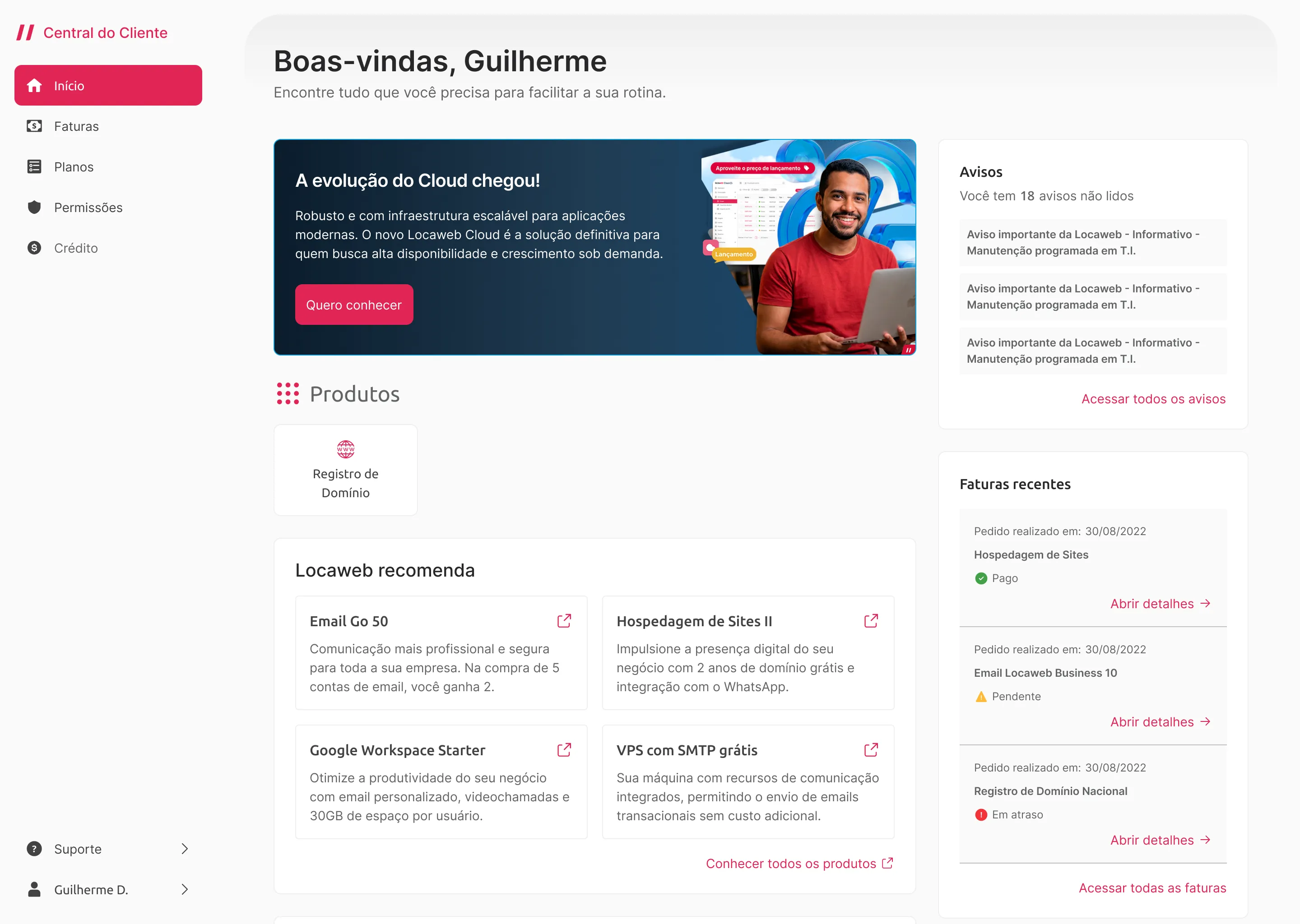
Invoices 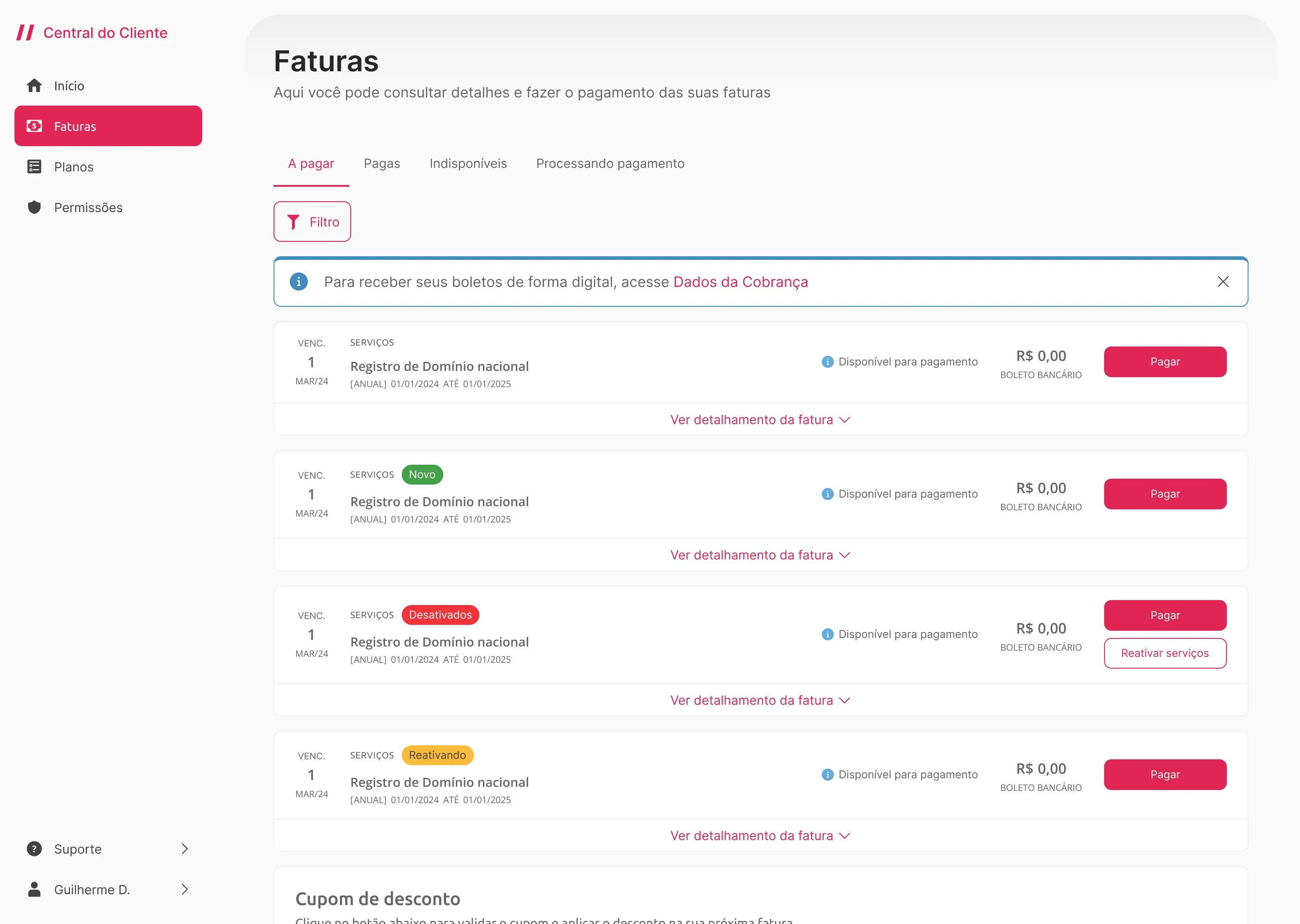
Plans 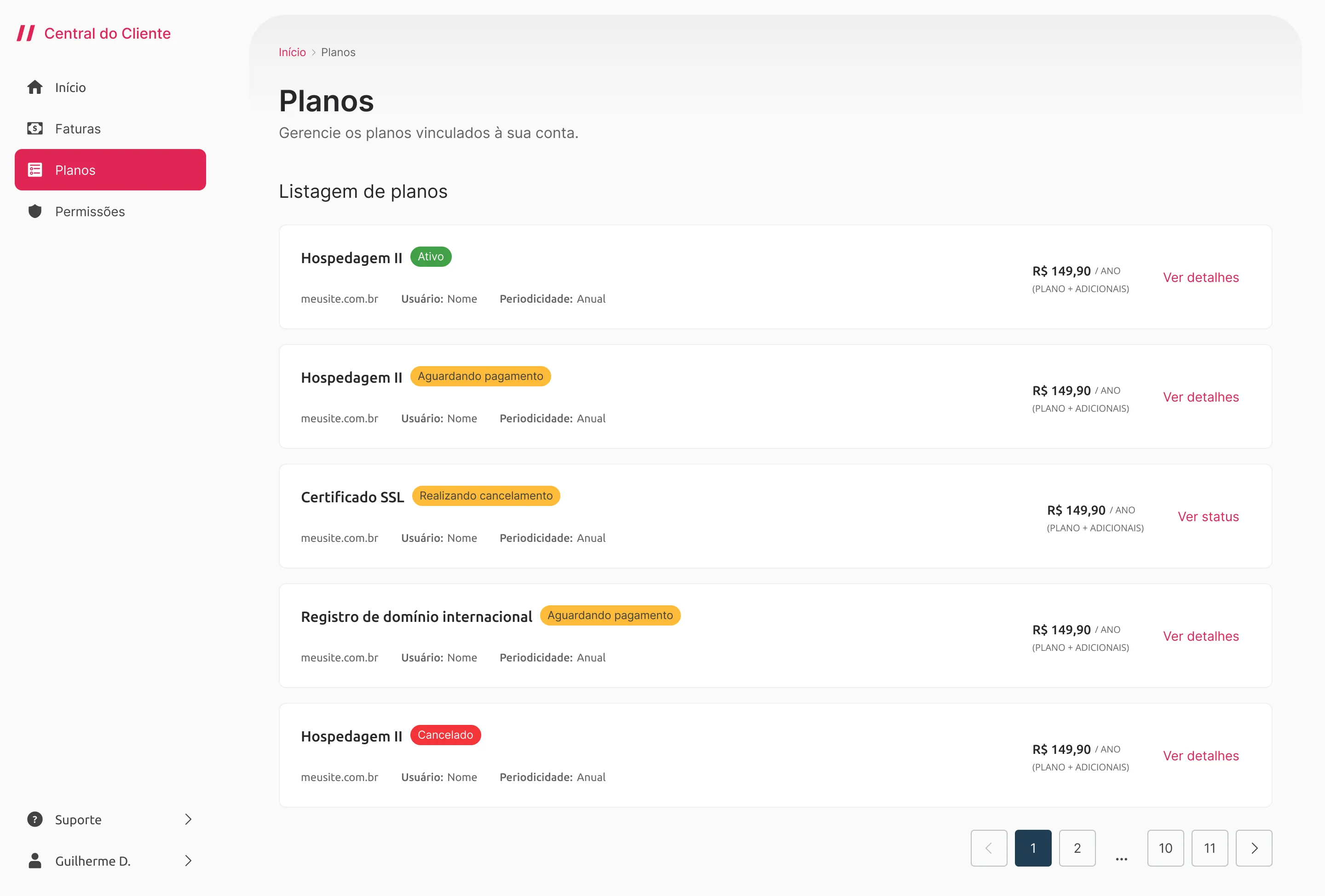
Permissions 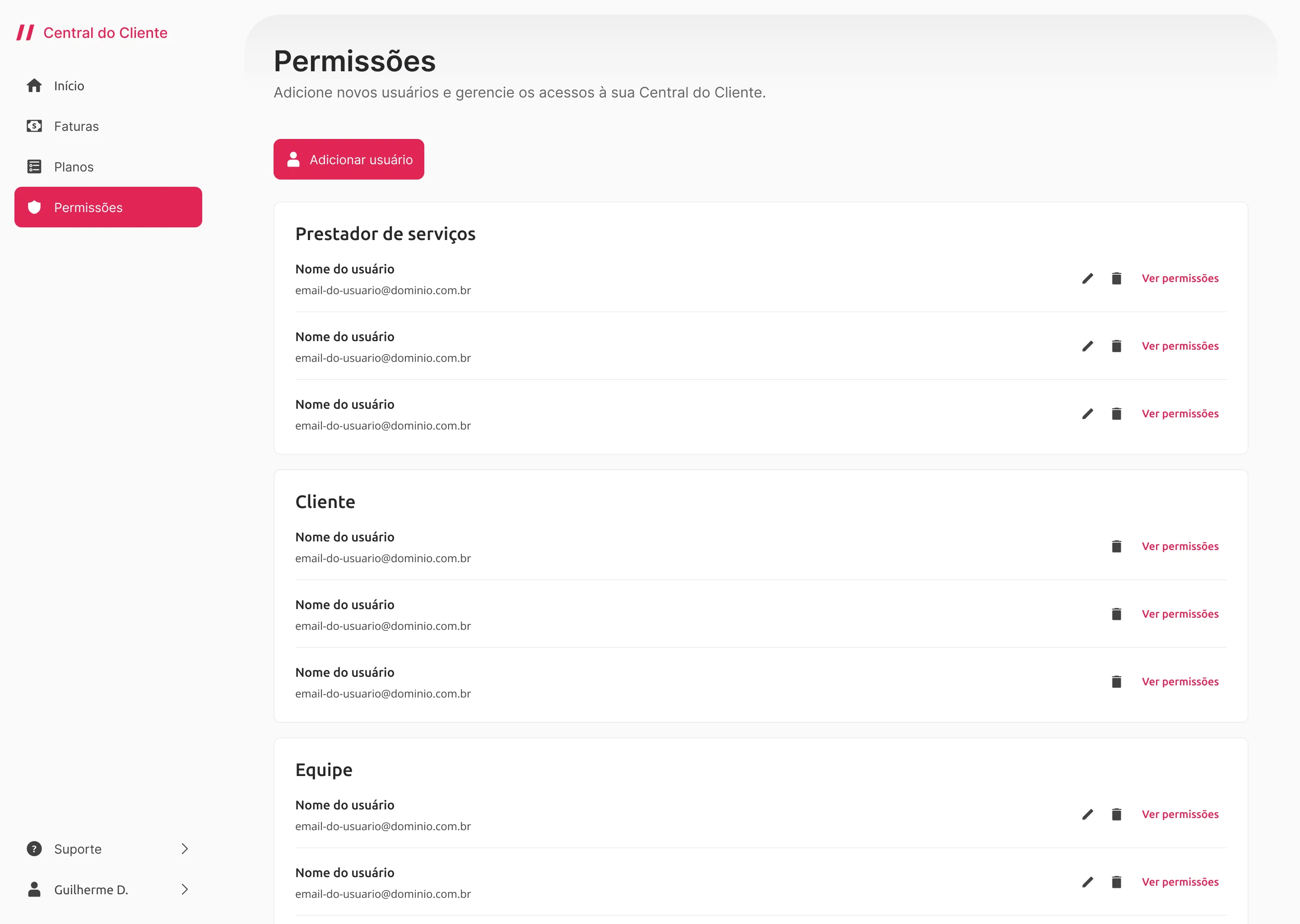
Support and help 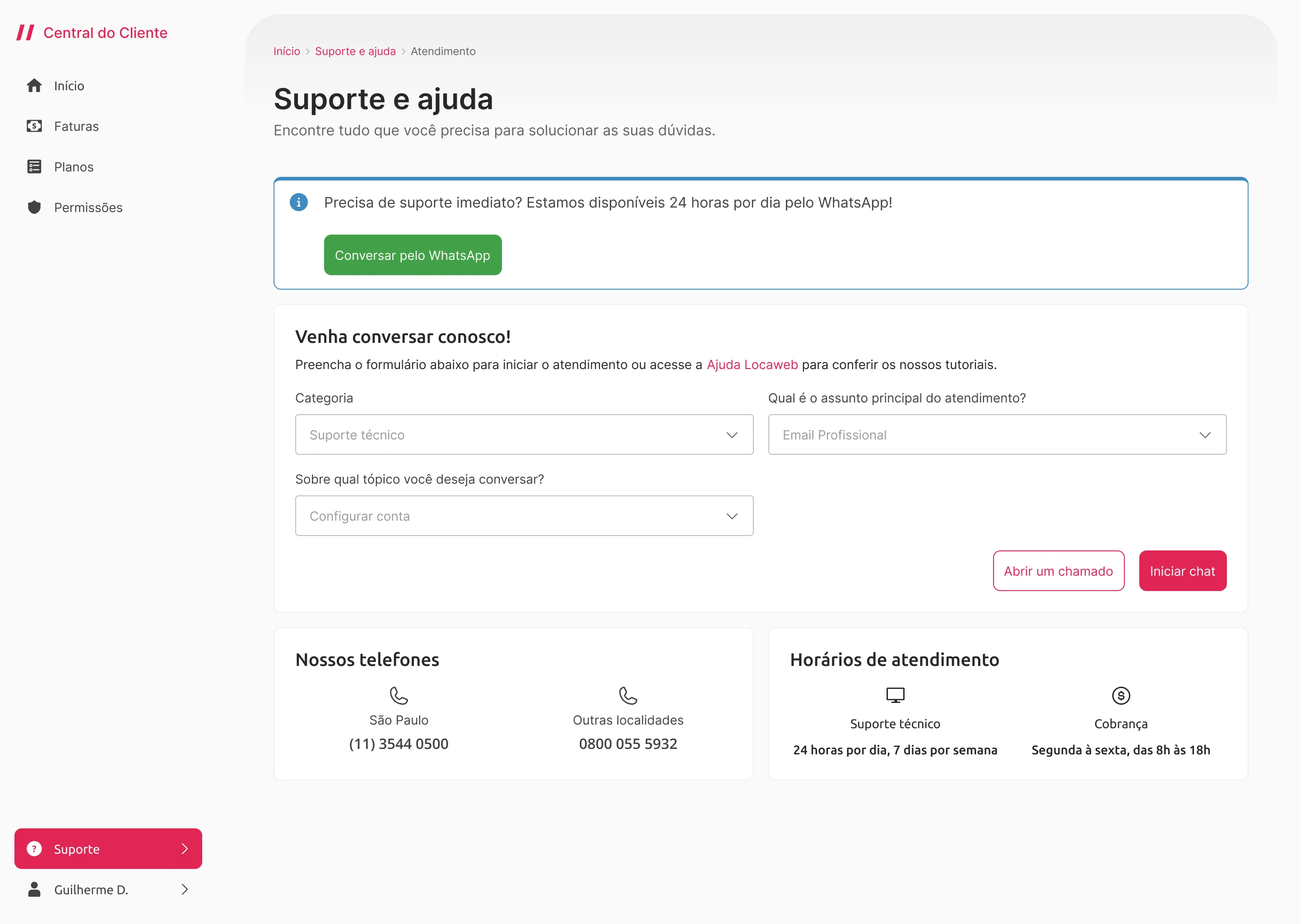
04 Findings
- Customers came to the Customer Center for simple tasks and got frustrated with complicated flows, confusing features and outdated technology.
- When they couldn't finish a simple action, like paying an invoice, customers gave up and contacted support. That pushed up the Contact Rate (the share of customers who need to talk to support), a metric the company always tried to reduce.
- Part of the Customer Center used components from the old Design System and part used components built from scratch. The mix left customers confused.
05 Decisions and trade-offs
- We started with the “AS IS” phase, only moving the Customer Center to Locaweb's new Design System. Exploring new features came later.
- At first, we gave up on innovating. In return, we gained performance, usability and design consistency.
06 Highlights
The results came from design decisions combined with optimizations made by engineering.
- Loading time
- From 129s to 53s (59% faster) in the most used and most complex features.
- Screen rendering
- From 24s to 6s (75% faster) across the whole system.
- Average time per user action
- From over 2 minutes to under 1. The Customer Center is where customers pay invoices, change plans, buy services and reach their other products, so each of these tasks got faster.
Next case
The new Clube KTO cashback, which returns 1% to 7% of each week's losses depending on the player's tier. Leadership approved the proposal, with an estimated return above 100%.